
Changelog

Follow new updates and improvements to wetracked.io.

Creative Analytics, weekly reports, and more in Pulse
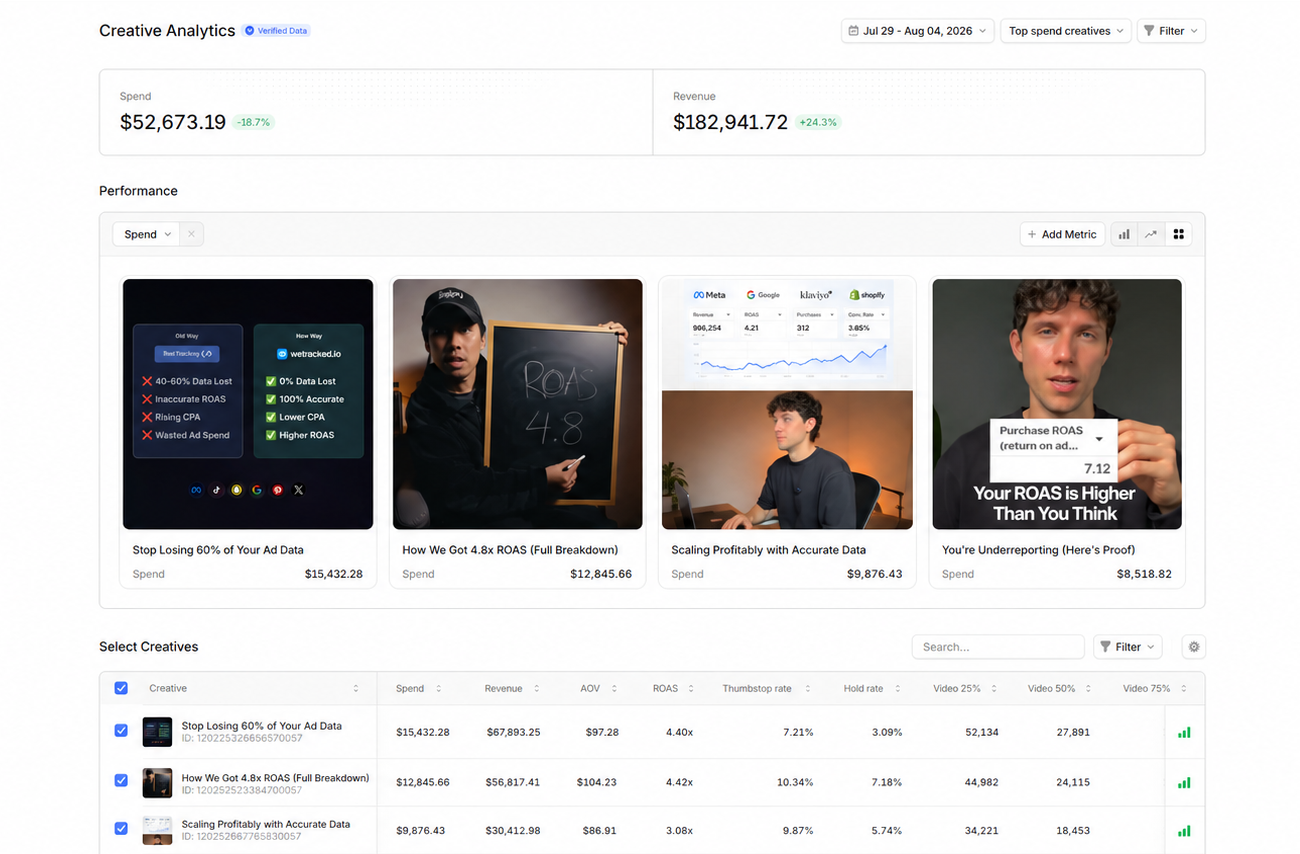
Creative Analytics (Beta)

See performance per creative instead of per ad. The same video running across 12 ad sets now rolls up into one row, with spend, revenue, ROAS and AOV attributed by wetracked.io's first-party data.

  • Creative-level rollup across ad sets, variants and duplicates

  • Engagement metrics next to revenue: thumbstop rate, hold rate, video completion at 25%, 50% and 75%

  • Sort and filter by top spend, top ROAS, date range and more

  • Verified Data badge on every metric sourced from first-party tracking

Find it under Add-ons in the left menu. Free on every plan during Beta.

Google Ads in Pulse

Google Ads joins Meta and TikTok in the Pulse dashboard. Open Pulse, click Channels in the top right, then + Add Channel.

Export for AI

Export your Pulse data as a clean .md file or copy it to your clipboard, then paste it into ChatGPT, Claude or any LLM to analyze performance. Click the export icon in the top right of Pulse.

Weekly email reports

Get a weekly summary of your ad performance by email, with week-over-week change on every metric and a separate block per store. Choose which metrics you receive under Settings, then Notifications.

Audience segments in Pulse (Meta only)

Break your Meta metrics down by new, engaged and existing customers to see whether spend is acquiring customers or re-converting existing ones. Requires Audience Segments to be defined in Meta Ads Manager under Advertising Settings.
NewImproved

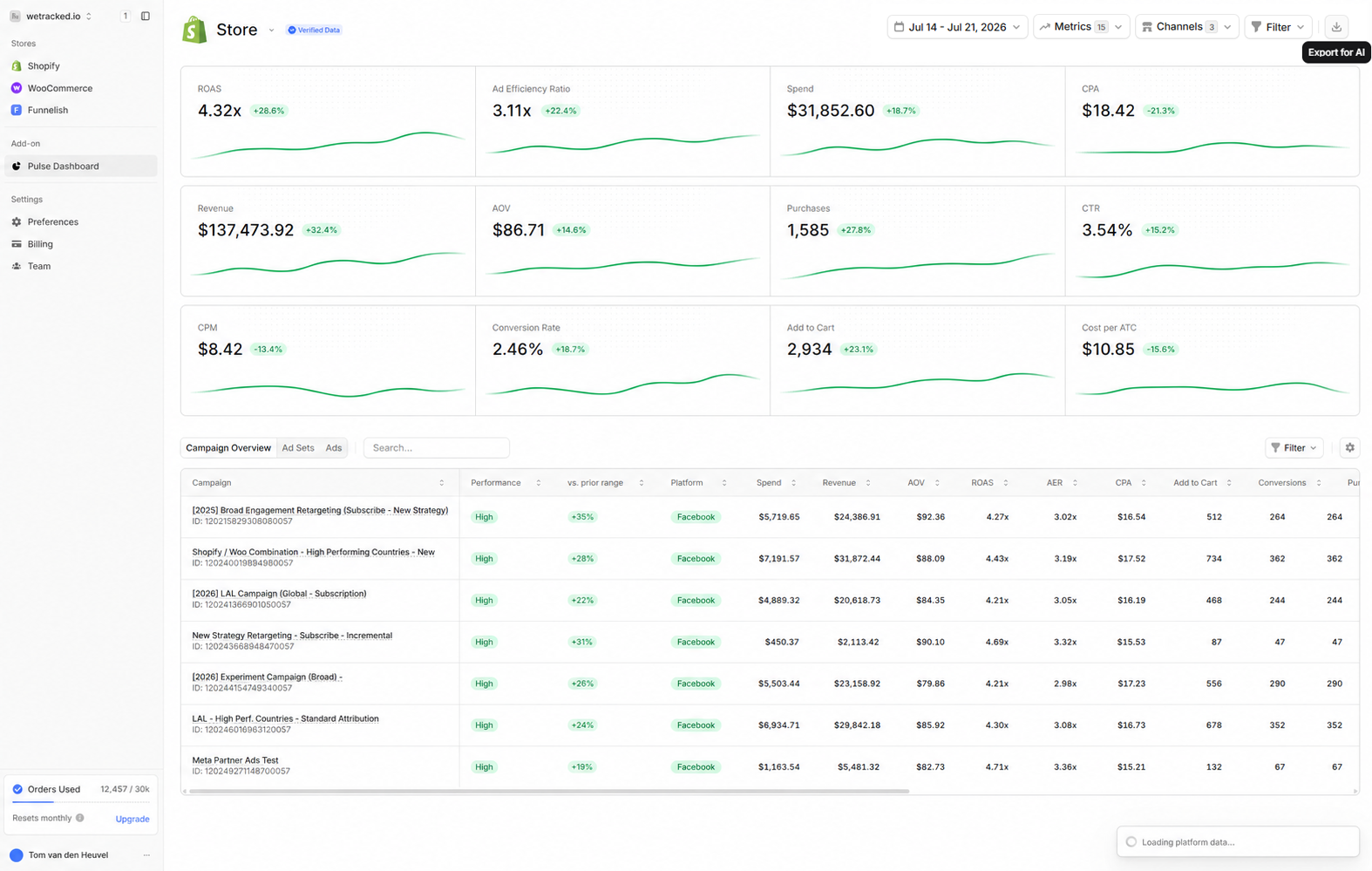
Pulse Dashboard: your Meta, TikTok and Google Ads performance in one live view

Pulse is live
Pulse is a real-time view of your ad performance inside wetracked.io. Spend, revenue, ROAS, CPA and your top campaigns in one overview, updated as orders come in. Everything runs on your own first-party attribution data, the same data we push back to each ad platform, so the numbers are measured, not modeled.

Your tracking keeps working exactly as before in the background. Pulse is the view on top, for when you want it.

All three channels connected
Meta Ads, TikTok Ads and Google Ads sit side by side in the same view. Compare channels on the same attribution logic instead of piecing performance together across three ad managers that each count conversions differently.

Export for AI
Export your Pulse data as a .md file or copy it to your clipboard, then paste it into ChatGPT, Claude or any other LLM for analysis, summaries or reporting.

How to get started
Open the Pulse Dashboard, click Channels in the top right, hit + Add Channel and connect Meta, TikTok and Google Ads.

New

WooCommerce Integration is live

You can now use wetracked.io with your WooCommerce store!
Track conversions with up to 100% accuracy and push real purchase data to Meta, Google, TikTok, and more, just like on Shopify.

To get started, head to your dashboard and connect your WooCommerce store in a few clicks.

New

Earlier updates